Studio
The full 3D package
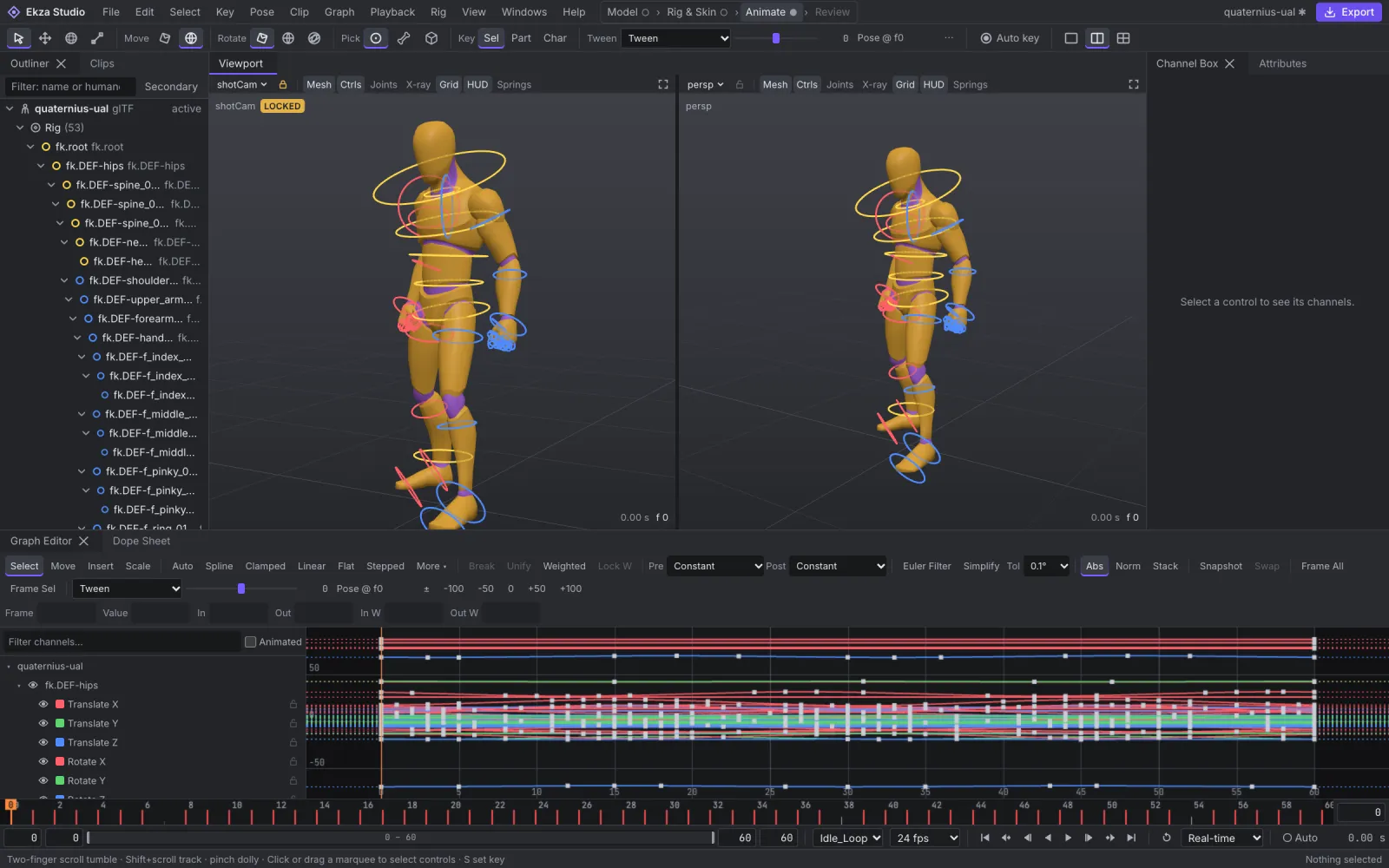
Model low-poly meshes, build a skeleton and skin it, then key and polish animation in a Graph Editor and Dope Sheet. Industry-standard hotkeys, docked panels and focused layouts.
Ekza Studio · open source · v0.6
Model, rig, animate and export game-ready characters — with nothing to install and nothing uploaded.
Ekza Studio is an MIT-licensed 3D package for glTF and VRM characters. Use the full Studio with industry-standard 3D controls, or Auto-Rig to turn a model into an animated, OMOBA-ready avatar in minutes.
Two ways in
Both modes share one document and one undo history: start in Auto-Rig, continue in Studio at any moment.
Studio
Model low-poly meshes, build a skeleton and skin it, then key and polish animation in a Graph Editor and Dope Sheet. Industry-standard hotkeys, docked panels and focused layouts.
Auto-Rig
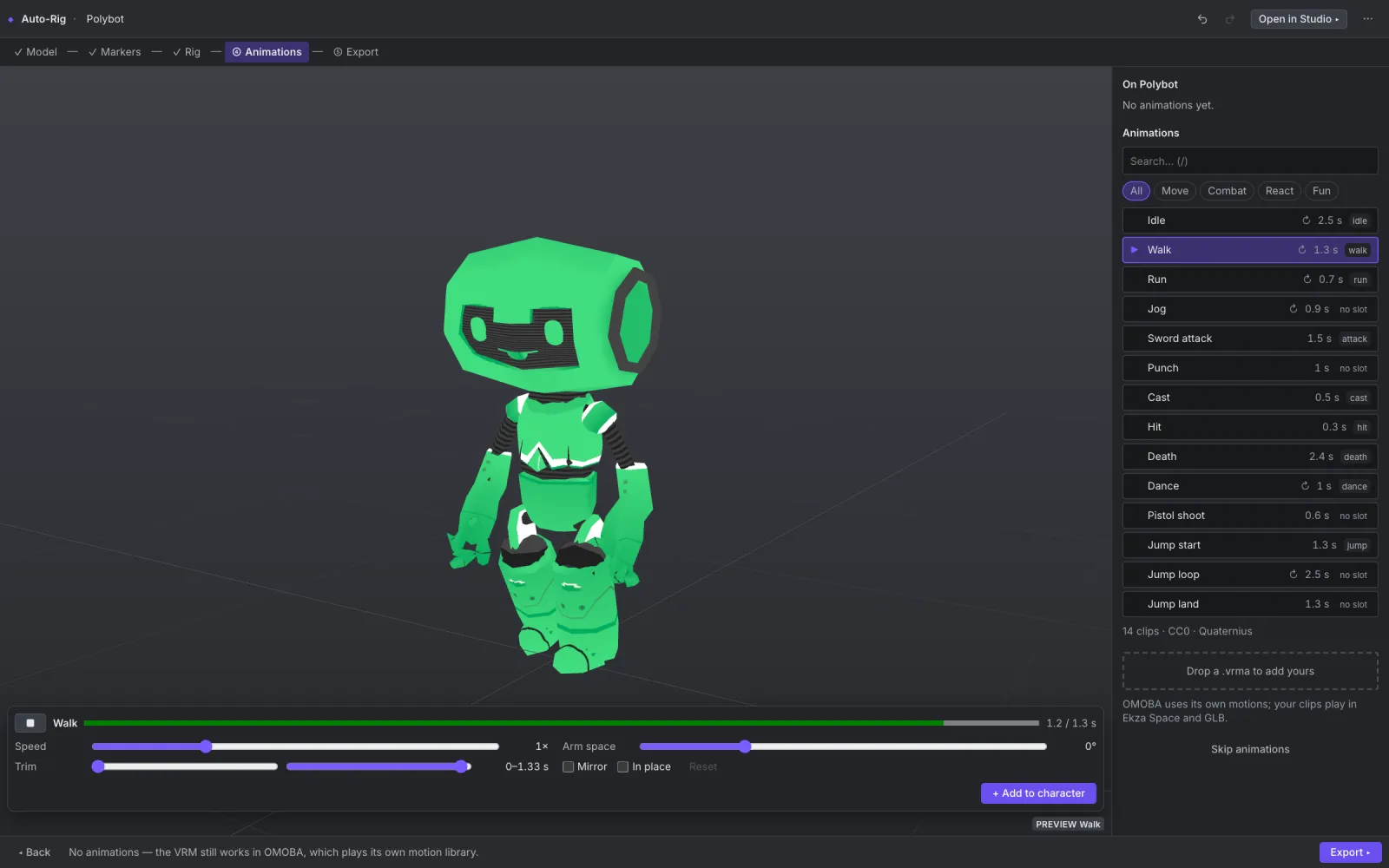
Upload a GLB or VRM, check the guessed markers, rig and skin in one click, preview starter animations and export a VRM ready for OMOBA and Ekza Space.
Capabilities
From the first cube to a playable avatar — in one tool, in one tab.
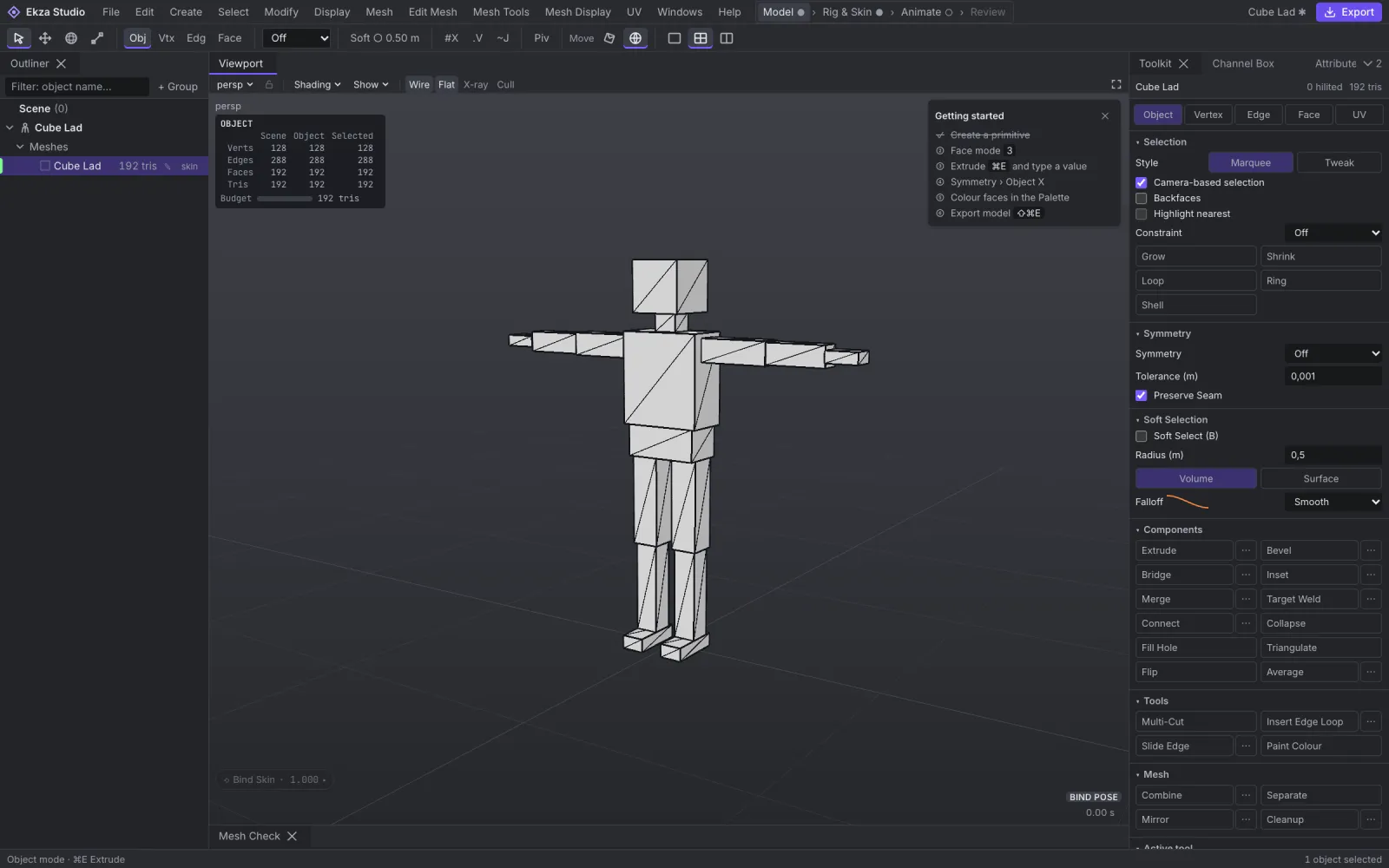
Box modeling with the hotkeys and behaviour 3D artists already know: component modes, extrude sessions, edge loops, bevel, bridge and symmetry that every tool respects.
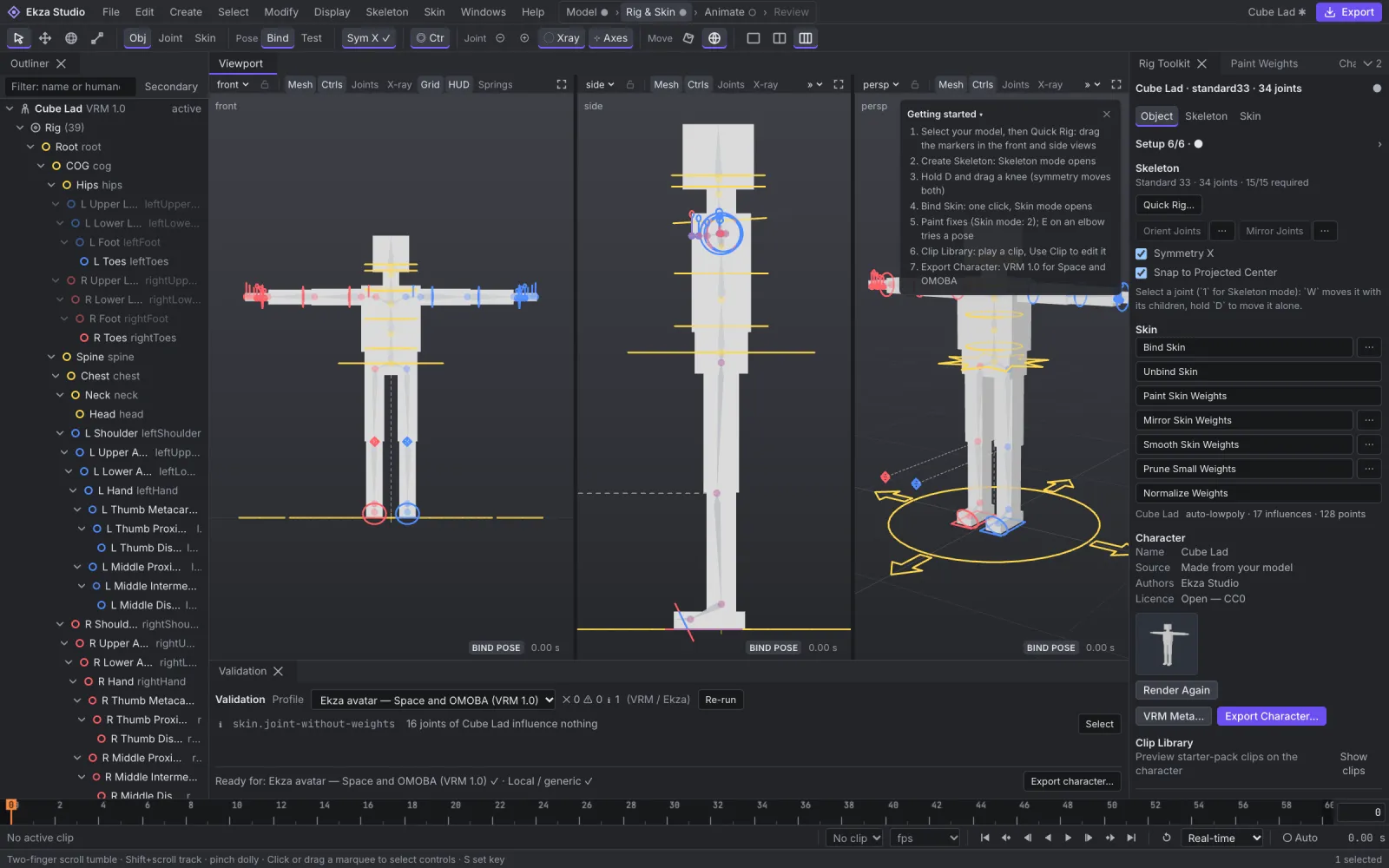
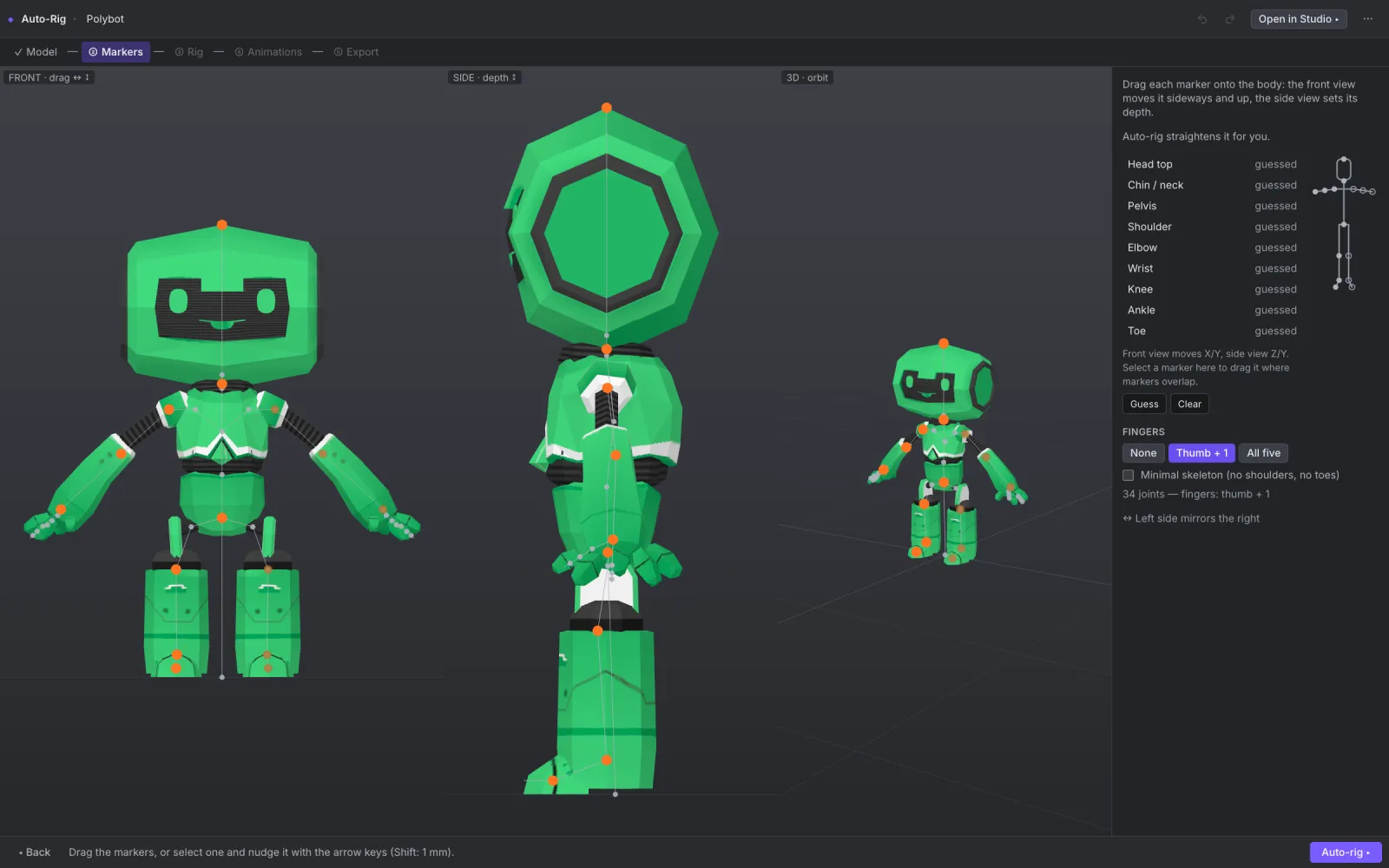
Place nine markers in the front and side views, get a VRM humanoid skeleton and bind the skin with one click. Paint weights where needed; validation tells you what to fix before export.
On-model controls with IK legs and arms, a Graph Editor with weighted and stepped tangents, a Dope Sheet for retiming and a tween slider for breakdowns — built for walk cycles, attacks and emotes.
Lambert and Blinn swatch shaders and a face palette give low-poly models a clean, readable look that exports as one palette texture, vertex colours or per-colour materials.
Open .glb and .vrm (VRM 0.x and 1.0) or drop a .vrma clip. Export static or rigged glTF/GLB, VRM 1.0 avatars, VRMA clips or animation-only GLB — baking back into the original file without losing data.
Exports pass OMOBA's own runtime checks. Publish to Ekza Hub, play your character in OMOBA and bring its clips into Ekza Space.
Meet OMOBAConnect Claude Code, Claude Desktop or Cursor to the open editor and ask: "rig this model and add a walk". You approve the connection with a pairing code and grants; every AI edit is an undoable "AI: …" step, with Revert all one click away. Agents can also work headless on project files.
Auto-Rig
A five-step auto-rigging wizard built from Studio's own tools. Nothing leaves your browser.
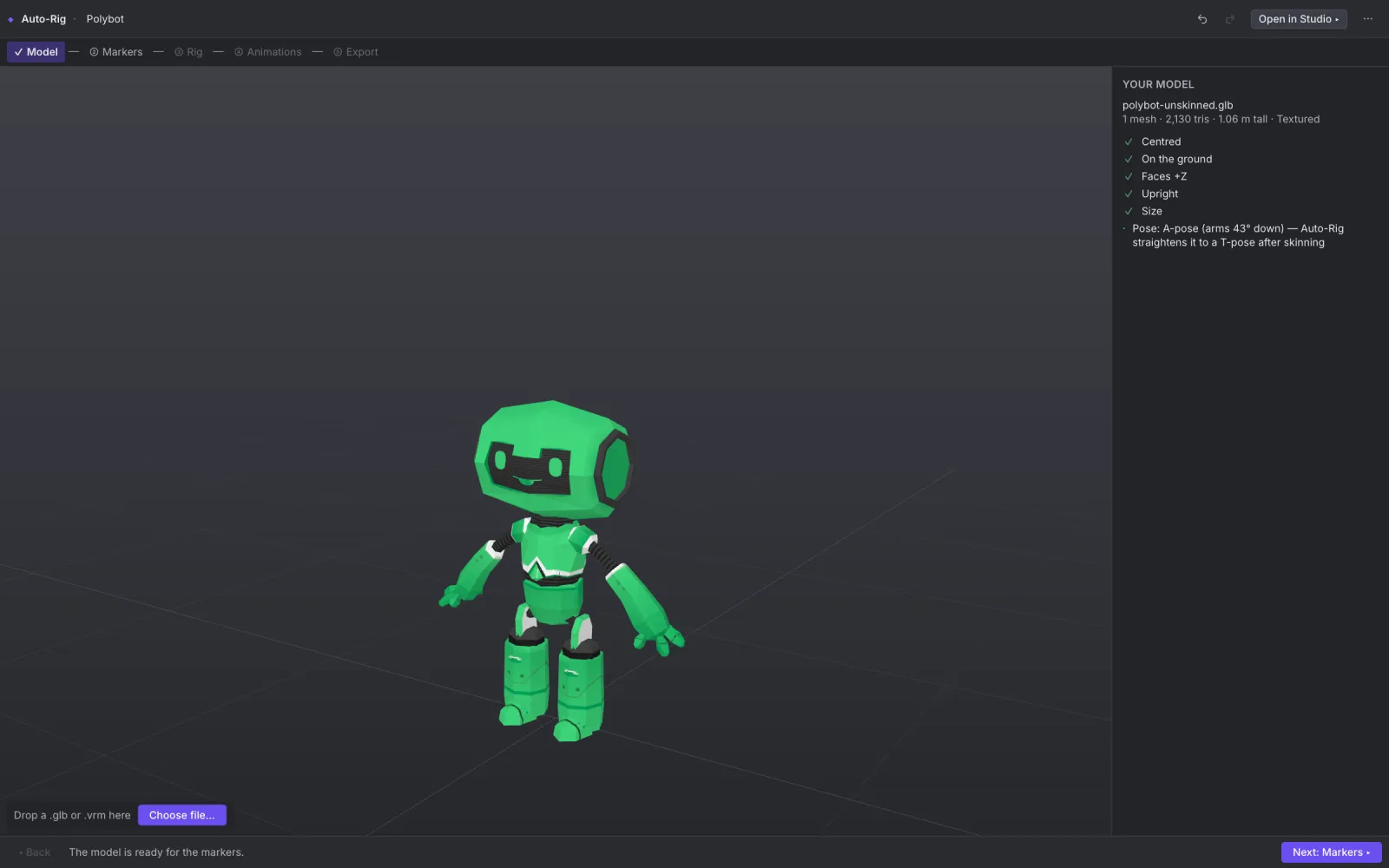
Drop a T- or A-posed humanoid GLB or a VRM — or pick a sample. Each check has a one-click fix.
Markers are guessed from the silhouette. Drag them in the front and side views if needed.
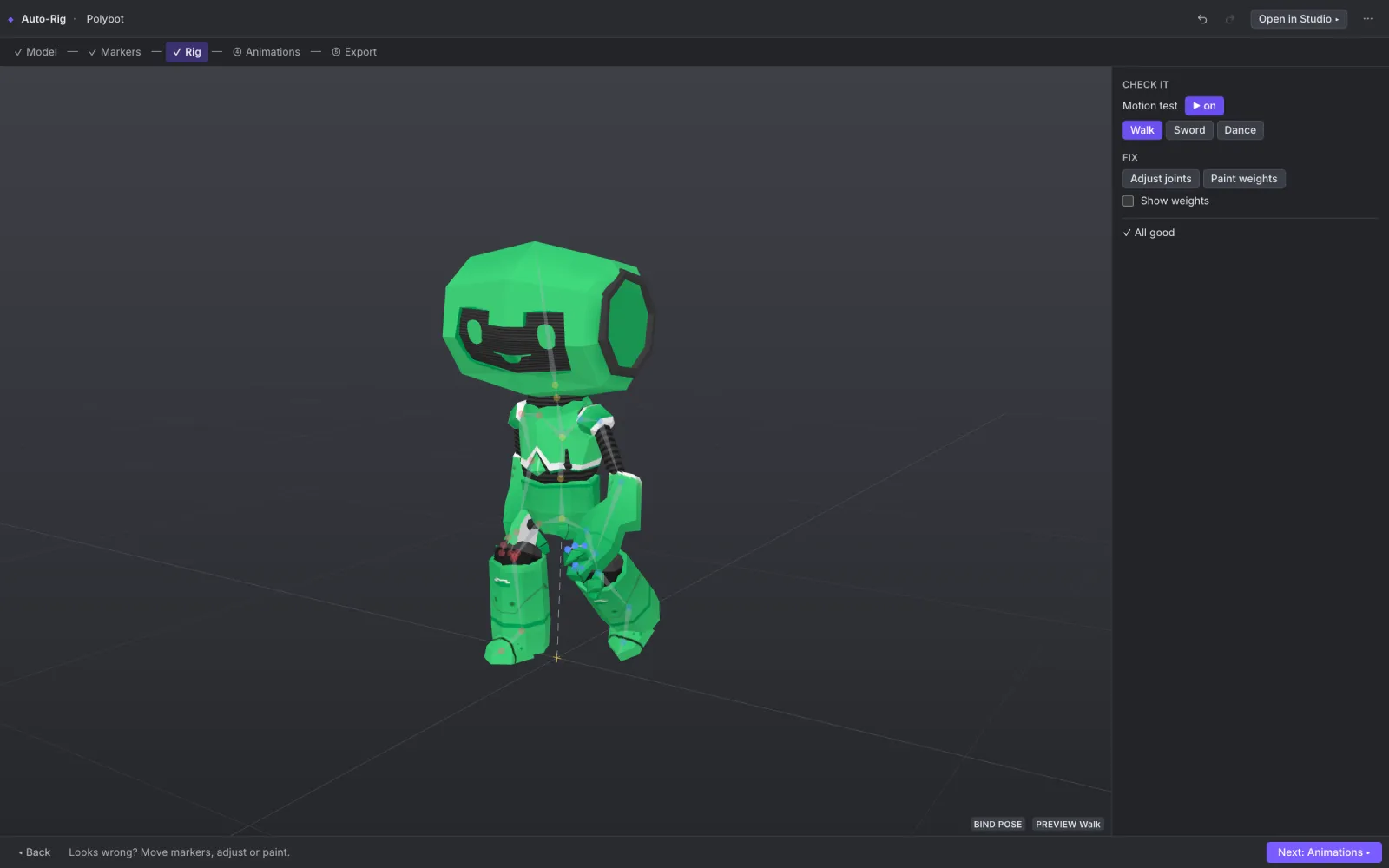
One click builds the VRM skeleton, binds the skin and straightens an A-pose. The character moves at once.
Preview 14 CC0 starter clips — idle, walk, run, attacks, dance — and tune speed, trim and mirror.
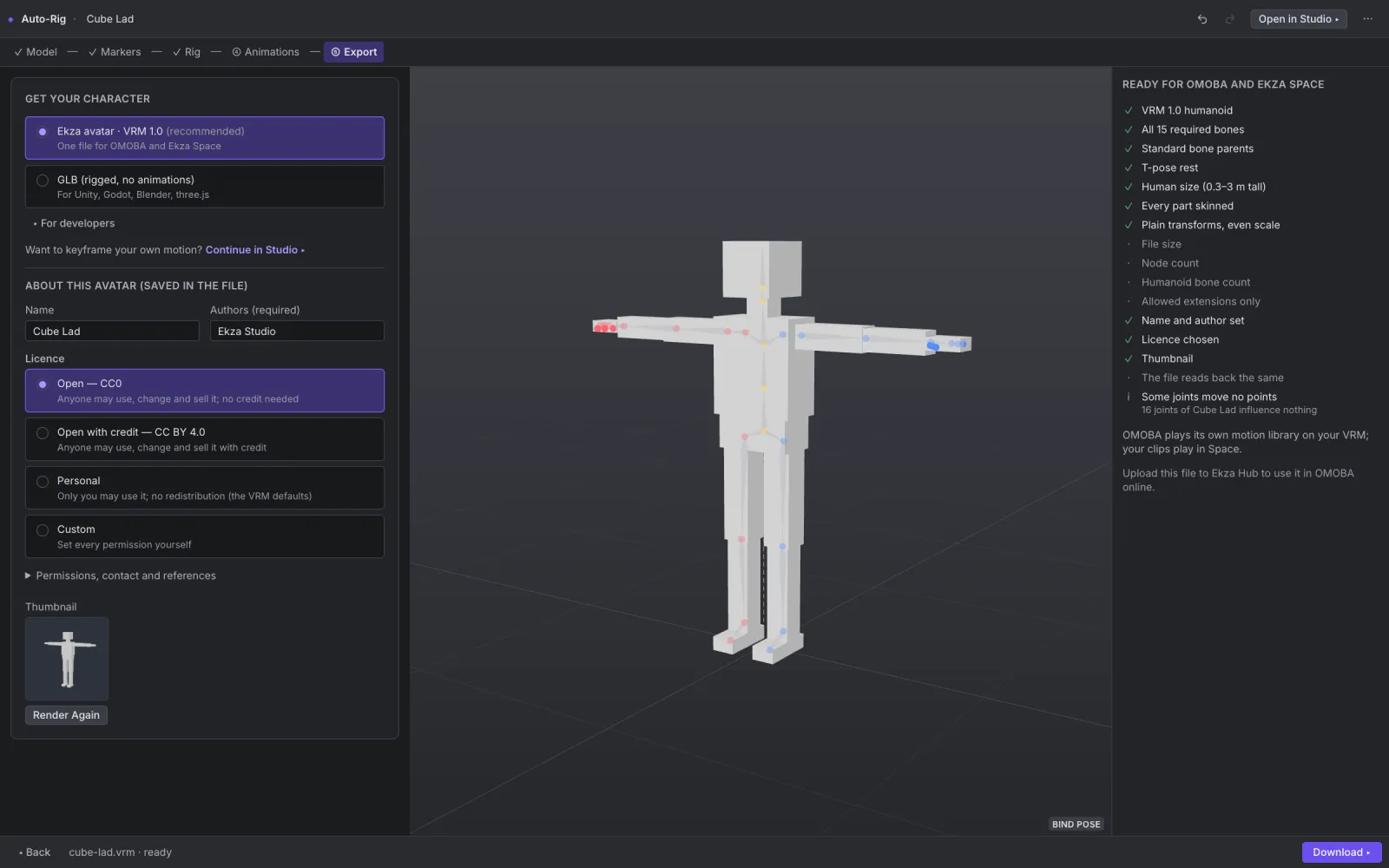
A VRM 1.0 for OMOBA and Ekza Space behind an OMOBA checklist, a GLB with clips, VRMA clips or an OMOBA test kit.
One pipeline
Model
Low-poly mesh
Rig
Skeleton & skin
Animate
Clips & curves
Shade
Palette & swatches
Export
VRM · GLB · VRMA
Play
OMOBA & Ekza Space
Good to know
No. Ekza Studio runs fully in the browser at studio.ekza.io. Chrome and Edge are supported today; Studio is best on a desktop, Auto-Rig also works on a tablet.
No. Files are opened and processed locally in your browser and are never uploaded. Projects autosave to your browser's storage.
Yes. The code is MIT-licensed and developed in the open on GitHub. The bundled sample characters and the starter animation pack come with their own open licences, mostly CC0.
It opens .glb and .vrm (VRM 0.x and 1.0) and .vrma clips. It exports glTF/GLB (static, rigged or with clips), VRM 1.0 avatars, VRMA clips and animation-only GLB.
Auto-Rig and Export Character check your avatar against OMOBA's own runtime rules, so the VRM you export is ready for the game. OMOBA plays its motion library on your avatar; your own clips play in Ekza Space.
A touch-first Ekza Studio for iPad and phones — the same features with a simpler, minimal interface (today's interface stays as Studio Pro) — plus deeper rigging tools and publishing to Ekza Hub.
No account, no install, no upload. Load a sample or your own model and see it move in minutes.